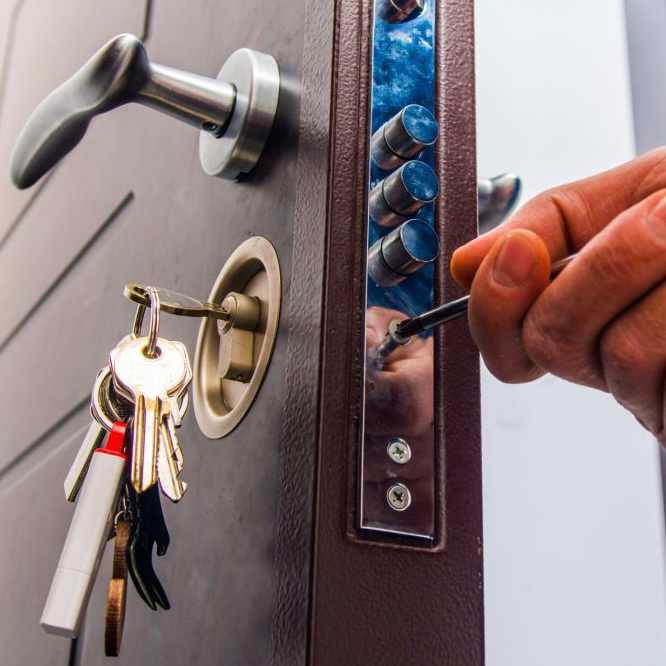
Getting locked out is a stressful situation for anyone. The hassle of finding a reliable professional in an emergency is just annoying. Luckily, there is local search, a savior for customers in distress. A high-ranking Google Business Profile is handy, fast, and gives customers the exact phone number they require while being stranded.
If you are a locksmith, optimizing for local search not only makes discovery easy, but it secures your stream of high-intent leads. If you plan to get more phone calls, you should take these considerations to master local SEO.
💡 The Marketing Trifecta
While SEO delivers long-term traffic, it should always be paired with a strong paid and social foundation. Don't forget to implement our Complete Locksmith PPC Strategy for instant local leads, and utilize our Locksmith Social Media Marketing Guide to build community trust before a client even calls you!
📊 The Current Local Search Landscape for Locksmiths
The local search market for locksmiths has changed rapidly over the last few years. Customers rarely keep a local phone book around anymore. Instead, they pick up their smartphones and search for instant help. This shift means that appearing at the very top of Google’s Map Pack is critical for your survival. If you are out for emergency calls, you probably won't get them if you are buried on page two or three of the search results. People in emergency situations do not have the patience to scroll; they click the first legitimate-looking business they see.
Artificial intelligence is also altering how people search. Users now ask Google complete questions like, "Who can unlock my car door right now in London?" or "Where is the nearest 24/7 locksmith in Sydney?" The search intent is hyper-local and highly urgent. People want the closest, most reliable service provider immediately. Because of this, proximity and trust are the primary ranking signals. Google's algorithm filters out spam heavily in this industry to protect consumers from scams and unqualified technicians. If you love getting steady calls, building a trusted, localized entity online will surely do justice for you.
Why Do Locksmith Companies Need to Invest in SEO?
If you are a frequent traveler between jobs, you always need a steady flow of incoming phone calls. You might ask, why do locksmiths need to invest in SEO when they can just pay for ads? Paid ads work, but they can be extremely expensive over time. A single click can cost you $15 to $30 in highly competitive cities across the US and AU. When you rely solely on ads, the moment you stop paying, your phone stops ringing. Local SEO, on the other hand, provides a sustainable, long-term foundation that generates organic calls around the clock without paying per click.
Done right, SEO generates consistent, high-intent leads directly from Google Maps and organic search results. It eliminates the need for wasteful ad spend and creates a reliable asset for your business. When you optimize your local presence, you own your service area. It builds visible trust through reviews and accurate information. Plus, Google ranks organic Map Pack listings based on authority and proximity, meaning the leads you get are right in your neighborhood, resulting in shorter drive times and higher profit margins per job.
The 10-Step Local SEO Blueprint for Locksmiths

Step 1: GBP Optimization & Verification
A major problem for locksmiths is getting suspended on Google Business Profile. Google is very strict with this industry because of widespread spam and fake listings. Many mobile professionals make the mistake of displaying their home address on their profile to try and rank higher in their immediate neighborhood. This violates Google’s guidelines for Service Area Businesses (SABs) if you do not have a storefront with permanent signage where customers can visit you during stated business hours. If you get suspended, your phone calls stop completely, causing a massive drop in revenue.
To fix this, you must set up your profile properly using Service Area settings. When configuring your Google Business Profile, clear the physical address field entirely. Instead, select the specific cities, zip codes, and counties you serve. Verify your profile carefully, which may require a live video call with a Google representative. During this call, you will need to show your work vehicle, your tools, and any branding or licenses you have. You must fill out every section of the profile, including services, descriptions, and categories.
The value of a properly verified, address-hidden profile is immense. It keeps you safe from sudden algorithmic suspensions and protects your business from competitors trying to report you. Furthermore, configuring exact service areas helps Google connect you directly with nearby searchers looking for mobile services. This foundational step is required to boost your visibility for "near me" emergency searches safely.
Step 2: Local Services Ads (Google Guaranteed)
Many new locksmiths struggle to build immediate trust with a customer who is locked out of their car at 2 AM. Customers are hesitant to call a business with no reviews, a low star rating, or no visible credentials. Traditional organic SEO takes time to build, leaving a gap in immediate revenue for new businesses or those expanding into new territories. Without a strong visual trust signal, potential customers will quickly click away to a competitor.
The best solution is integrating Local Services Ads (LSA) and earning the Google Guaranteed badge. You must pass a background check with Pinkerton, provide proof of liability insurance up to $1,000,000, and show your master license or local certifications. Once you submit these documents and get approved, you get a green checkmark next to your name at the very top of the search results, even above the traditional pay-per-click ads and the Map Pack.
This badge gives you an incredible advantage. You only pay for valid leads, meaning actual phone calls from customers, not random clicks from people browsing. If someone calls and they are outside your area, or if it is a spam call, you can easily dispute the charge and get your money back. Displaying the Google Verified Badge helps encourage first-time customers to choose your business with confidence, driving immediate cash flow while your organic SEO grows in the background.
Step 3: NAP Consistency & Citation Building
When search engines look at your business, they get confused if your information varies across the internet. If your business name is listed as "John's Locks" on Yelp, but "John's Locksmith LLC" on YellowPages, and the phone numbers are different, Google loses trust in your data. This inconsistency in Name, Address, and Phone Number (NAP) is a massive red flag. It prevents you from climbing the local rankings because the algorithm is unsure which information is accurate to present to a user.
You need to establish perfect NAP consistency immediately. You can use data aggregators or manual submission to ensure your exact business name, phone number, and service area are identical across Apple Maps, Yelp, Foursquare, and local chamber of commerce directories. Create a master spreadsheet with your exact business details. If you have moved or changed numbers in the past, you must run an audit and clean up the old citations. Reach out to directory owners and have them update or remove incorrect listings.
Consistent citations act as powerful trust signals to Google's algorithm. They validate that your business is real, active, and reliable. The more consistent your NAP footprint is across the web, the higher your confidence score goes. This direct validation pushes your profile higher in the Map Pack, ensuring you show up above competitors who have messy, outdated information spread across the internet.
Does SEO Really Matter for Mobile Locksmiths?
Yes, absolutely. Since mobile locksmiths lack a physical storefront, they must rely entirely on digital signals to establish their service area. Optimizing your digital footprint acts as a substitute for a physical location, effectively broadcasting your presence across your entire territory and capturing leads you would otherwise miss.
Step 4: Hyper-Local City Landing Pages
If you serve a wide radius covering multiple cities, your main homepage cannot rank for every single suburb you visit. A common mistake is listing thirty different cities in one massive paragraph at the bottom of the homepage. Google does not reward this keyword stuffing, and it fails to match the specific intent of someone searching in a neighboring town. You end up ranking only in the city where your business is officially registered, losing out on surrounding areas.
The solution is to build individual, hyper-local city landing pages. For example, if you operate in the London area, do not just target "London". Create dedicated pages for "Locksmith in Camden," "Locksmith in Islington," and "Locksmith in Greenwich." Write unique, high-quality content for each page describing local landmarks, major driving routes, and the specific security services offered in that exact neighborhood. Do not copy and paste the same text and just swap out the city names.
These dedicated landing pages capture highly specific local traffic. When someone searches for a locksmith in their exact suburb, your dedicated page provides a perfectly tailored result. It increases your local relevance and significantly expands the total geographical area where your website can rank organically. This strategy effectively casts a wider net across your entire service radius.
Step 5: Review Generation & Reputation Management
If you do not have fresh, positive reviews, potential customers will scroll right past your listing. In the locksmith industry, people often feel vulnerable; they are giving a stranger access to their home, car, or business. They want to ensure they are hiring a trustworthy professional. A profile with old reviews, a low average rating, or unanswered negative complaints looks abandoned and suspicious, driving leads directly to your competitors.
You should implement a proactive, automated review generation strategy. Send an automated SMS text message or a short email to your customer immediately after unlocking their door or installing a new lock. Ask them politely to leave a review and provide a direct link to your Google Business Profile. Furthermore, always respond to every single review. Thank the happy customers for their business, and address any negative complaints professionally, offering a phone number to resolve the issue offline.
Steady review velocity is a massive ranking factor. Getting new reviews weekly tells Google that your business is popular and highly active in the community. High ratings improve your click-through rate dramatically from the search results page. People naturally gravitate toward the listing with the most stars and the most reviews, turning your reputation into your absolute strongest lead generation asset.
Step 6: Geo-Tagged Image Uploads from Job Sites
A static, boring Google Business Profile with no real photos fails to engage customers. Using generic stock photos of keys and locks from the internet does not help Google understand where you actually perform your work. It also fails to convince the customer that you are a genuine, active local business. Empty profiles or profiles with low-quality, blurry photos do not convert viewers into callers.
To fix this, take photos of your team at work while out on actual jobs. If you are installing a smart lock in a specific neighborhood, snap a quick picture of the finished door or your branded van parked in front of the house. Before uploading these images to Google or your website, make sure the location services on your phone are turned on so the image contains geo-tagged metadata (GPS coordinates) of that exact location.
Uploading geo-tagged photos consistently feeds Google spatial data about where your service area truly is. It proves to the algorithm that you are actually doing work in the cities you claim to serve. This visual evidence improves user engagement, builds immediate trust, and acts as a hidden proximity signal to boost your local search presence across a wider radius.
How to Rank for "Emergency Locksmith Near Me"?
To capture this specific "near me" query, your geographic data must be flawless. Google relies on your mobile location and website data to confirm your proximity to the searcher. Ensure your citations mention your 24/7 emergency availability and explicitly state your mobile service radius so Google feels confident serving your profile to frantic searchers nearby.
Step 7: Local Link Building & PR
Many locksmith websites struggle to gain authority because they have no inbound links from other websites. Search engines view links from external websites as votes of confidence. Without these votes, your website will remain weak and will be easily outranked by older competitors who have been in the market for decades. Standard directories are not enough; you need real local authority pointing to your site.
You should actively pursue local link building. Sponsor a local youth sports team, join the regional Chamber of Commerce, or offer expert security advice to local news bloggers. If you write a small, helpful guide on securing your home against break-ins, local newspapers or community boards are often happy to link to it. You can also offer discounts to local businesses in exchange for a mention on their partner pages.
Local links are incredibly powerful because they carry geographical relevance. A link from a community center in your exact town passes far more local trust than a generic link from a national directory site. This local authority directly impacts your Map Pack rankings, elevating your profile above competitors who only focus on basic on-page tactics and ignore community outreach.
Step 8: Local Schema Markup
Search engines are smart, but they still need help understanding the exact context of your web pages. Without structured data, Google has to guess what your business hours are, what specific areas you serve, and what services you offer based on your paragraphs. This lack of clarity can prevent you from displaying rich snippets in the search results and hurts your chances in voice search results.
You should install Local Business Schema markup on your website. This is a small piece of code added to your website's backend that speaks directly to search engines in their native language. Make sure the schema defines you precisely as a "Locksmith" and clearly lists your ServiceArea, accepted currencies (like USD, GBP, or AUD), price range, geo-coordinates, and emergency contact numbers.
Schema markup removes all guesswork for the algorithm. It allows Google to display your reviews, business hours, and precise service areas directly in the organic search results as rich snippets. This rich data makes your listing stand out visually compared to competitors, improving your click-through rates and solidifying your geographical relevance in the backend code.
Step 9: Apple Maps and Bing Places Optimization
Focusing only on Google Business Profile is a critical mistake. While Google dominates the market, you are leaving money on the table if you ignore other platforms. Many users ask Siri for help on their iPhones while standing outside their locked car, or they search using the default Bing browser on their Windows computers at the office. If you are absent from these specific maps, you lose those emergencies entirely.
You must claim and optimize your profiles on Apple Business Connect and Bing Places for Business. Apple Maps is the default mapping service on iOS devices and has a massive mobile audience that requires immediate help. The process is easy; you can actually sync your Bing Places account directly with your Google Business Profile to keep the data identical and updated automatically.
Optimizing for these alternative platforms ensures you capture the entire search market. For many locksmith clients, Apple Maps drives 10% to 15% of their total monthly phone calls. Grabbing this extra market share requires very little effort to set up initially, but it yields high-converting, mobile-ready leads that your competitors are actively ignoring.
Step 10: Grid Tracking and Reporting
You cannot improve what you do not measure. Simply looking at your ranking from your own phone is wildly inaccurate due to personalized search results and GPS location bias. If you are standing in your own driveway, you will always rank number one. If you do not track your rankings across a geographical grid, you are flying blind and wasting resources on the wrong areas.
You need to use a geo-grid rank tracker. This tool drops a digital grid over your city map and checks your Map Pack ranking from multiple specific GPS coordinates, mimicking a customer standing in that exact spot. It shows you exactly where you rank #1 (represented by green dots) and where you drop to #10 (represented by red dots) just a few miles away.
Grid tracking allows you to deploy targeted strategies. If you see your rankings are weak in the northern suburbs, you can focus on getting reviews specifically from customers in that area, or publishing a hyper-local landing page for that specific zip code. This data-driven approach ensures your local SEO budget is always spent exactly where it will generate the highest return on investment.
The Essential 5-Tool Local SEO Stack 🛠️
If you are a serious business owner and want to manage your local presence effectively, these five tools are essential for your local SEO execution.
1. Whitespark
This tool is specifically designed for building and auditing local citations. It scans the web to find where your business is mentioned and identifies exactly where your competitors have citations that you lack.
Citation Finder, Local Rank Tracker, Reputation Builder.
Extremely accurate local data; specifically tailored for service businesses and SABs.
The interface can be a bit overwhelming for total beginners without an SEO background.
2. BrightLocal
If you want a great all-in-one platform, BrightLocal is the perfect solution for you. It handles local search audits, tracks rankings, and provides comprehensive tools to generate and monitor customer reviews.
Local Search Grid, Citation Builder, Review Manager.
Great visual reports that are easy to understand; excellent, affordable pricing structure.
The citation building service is manual and can take a few weeks to fully complete and index.
3. Local Falcon
If you need to know exactly how far your Map Pack visibility reaches, this tool is exceptional. It is the original Google Maps grid tracking system used by top SEO professionals.
Geo-grid ranking reports, competitor analysis, AI-powered listing insights.
Highly visual, color-coded maps showing exactly where you rank locally node by node.
It works on a credit system, which can get expensive quickly if you run wide daily scans.
4. Ahrefs
For deep keyword research and link building analysis, Ahrefs is a powerhouse. You can look up exact monthly search volumes for queries like "locksmith near me" or "car key replacement."
Site Explorer, Keyword Explorer, Site Audit tool.
The largest and fastest backlink database available; highly accurate keyword difficulty scores.
It is quite pricey for a single small business owner, starting at $99 per month.
5. SEOptimer
If you need a quick technical health check on your website, this tool evaluates your on-page SEO rapidly. It checks your title tags, meta descriptions, and mobile page speed.
Website Audit, White-label reporting, Keyword tracking.
Very fast and provides a simple, actionable checklist of errors to fix on your site.
Lacks the deep off-page citation and backlink analysis found in larger enterprise tools.

Case Study 1: How Lightning Locksmith Dominated the Map Pack
Lightning Locksmith, a real Houston-based service provider, faced a massive challenge. They offered a wide variety of services, but their website only had one generic "Services" page. Because they lumped everything together, they were losing out on highly specific, lucrative queries like "safe unlocking" and "commercial lock installation." Their local visibility was stuck within a tiny two-mile radius, and they were heavily relying on expensive pay-per-click ads to generate daily revenue to keep the lights on.
Action The Execution:
Their exact execution involved tearing down the single service page and building highly targeted, individualized silos. Following a strict local SEO strategy, they created a separate, optimized page for "Car Key Replacement," another for "Commercial Lock Installation," and one for "Safe Unlocking." Each page featured localized schema markup, unique content about Houston security trends, and specific internal linking back to the homepage. They also audited and cleaned up their directory listings to ensure their NAP was identical across the entire web.
📈 The Results:
The measurable local ROI was incredible. By aligning their website with exact user search intent, Lightning Locksmith saw a massive surge in organic traffic. Their Map Pack visibility expanded dramatically across the Houston metro area, bringing in over $12,000 in new, organic monthly revenue. They no longer had to rely solely on ads, proving that specific service pages and clean data are the key to local success.
Case Study 2: How Get Locksmith Scaled Multi-Location SEO
Get Locksmith operated in multiple competitive cities, including Las Vegas, Tampa, NYC, and Orlando. Their initial local SEO challenge was managing their widespread presence without confusing Google. They were suffering from duplicate content issues, as they used the exact same text for every location page, simply swapping out the city name. Furthermore, their Google Business Profiles lacked localized authority, meaning they struggled to rank in the suburbs outside their immediate physical addresses in those massive cities.
Action The Execution:
To scale their multi-location SEO, they implemented a strict parent-child GBP architecture on their website. They built unique, hyper-local service area pages for every single city and neighborhood they targeted. Instead of copying content, they wrote detailed, location-specific copy discussing the distinct security needs of Orlando residential homes versus NYC commercial apartments. They also scaled their citation management using local APIs, ensuring perfect data consistency across hundreds of directories nationwide without doing manual data entry.
📈 The Results:
The results were outstanding. This aggressive, localized content strategy allowed Get Locksmith to rank in the top three of the Map Pack in multiple highly competitive metro areas simultaneously. Their organic visibility and inbound call volume skyrocketed, generating an estimated $45,000 in monthly organic value. They successfully scaled their brand while maintaining a distinctly local feel in every market they served.
Future-Proofing Your Local Visibility
Google algorithms update frequently, and maintaining your E-E-A-T (Experience, Expertise, Authoritativeness, and Trustworthiness) is essential for long-term survival in local search. As a local business, you should never rely on just one channel. Always prioritize the user experience on your website. Make sure your website loads instantly on mobile devices, as people locked out of their cars in the rain do not have the patience for slow websites. Ensure your phone number is clickable and prominent at the top of every single page.
Furthermore, keep feeding your Google Business Profile with fresh data constantly. Answer questions in the Q&A section, upload new photos weekly from your job sites, and publish Google Posts about your latest services or security tips. A good strategy always lasts for a long time. If your local SEO foundation is built on genuine trust, accurate data, and high-quality local content, you will survive any future updates Google rolls out. Consistently serving your local community well offline, and reflecting that success online, is the greatest future-proofing tactic available.